You already run your team's tasks through WhatsApp, so why add another tool? Connecting that workflow to Make should remove manual steps, not create a second inbox to check. Whether Tasks.Bot handles that job well depends on specific details.
This article answers that question directly, then walks through how Tasks.Bot's AI fits an automation workflow, which features support Make scenarios, where it sits in a stack, and what it costs. By the end, you will know whether it belongs in your setup.
What Is Tasks.Bot?
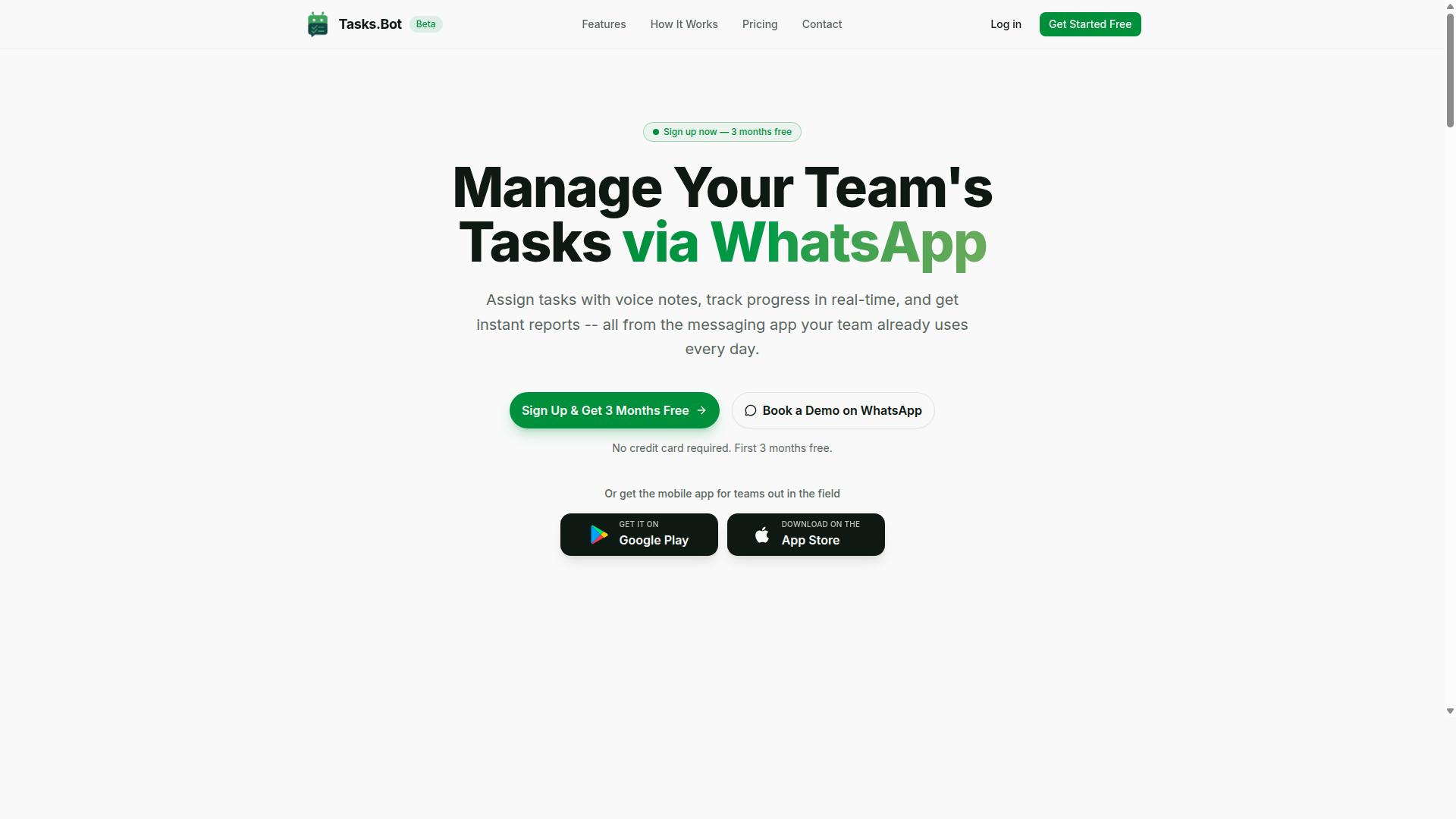
Tasks.Bot is a task management platform that operates entirely within WhatsApp, enabling teams to assign tasks, track progress, and receive reports without leaving the messaging app.
Its core purpose is simple: streamline task assignment, tracking, and reporting for teams that already run their daily communication through WhatsApp. Instead of juggling a separate project management tool, a spreadsheet, and a chat thread, users handle everything in one familiar place.
That approach removes a common friction point. Teams do not need to create additional accounts, install extra software, or train staff on a new interface. The messaging app they already open every day becomes the workspace.
Tasks.Bot is a globally available SaaS product, meaning teams can access it online without local installation or hardware requirements. It also offers a mobile app for field teams, which matters for staff who are rarely at a desk.
The service is currently in beta and offers a free trial period, so teams can evaluate whether it fits their workflow before committing. The platform reports that hundreds of teams already use it.
Understanding this foundation matters for the question at hand. Whether Tasks.Bot works well with Make integration and AI automation depends first on knowing what the tool is, who it serves, and how tasks move through it.
Who Tasks.Bot Serves and How It Works
Tasks.Bot is designed for teams that rely on WhatsApp for communication, particularly those with field staff who need efficient task management, attendance tracking, and payroll-ready hours.
That audience is specific for a reason. Field teams often work away from computers, and asking them to log into a desktop dashboard creates delays and gaps in reporting. When the tool lives inside WhatsApp, updates happen where the conversation already happens.
The way it works centers on natural input. Tasks are created through voice notes or natural language, then assigned automatically. Smart reminders keep those tasks moving without a manager chasing each person individually.
Under the hood, Tasks.Bot uses AI to understand natural language and voice notes. A team member can describe what needs doing in plain speech rather than filling out structured forms, which lowers the barrier for staff who are not comfortable with traditional software.
Beyond task handling, the platform supports face-verified attendance and payroll-ready hours. For teams with hourly or shift-based workers, that combination connects daily activity to compensation records without manual reconciliation.
Put together, the who and the how explain the platform's appeal. It targets WhatsApp-first teams, especially those with mobile or field-based staff, and delivers task management, attendance, and payroll-ready time data through the channel those teams already trust.
Is Tasks.Bot Good for Make Integration AI Automation? The Direct Answer
Yes, Tasks.Bot can be a valuable component in a Make (formerly Integromat) automation stack, particularly for teams that manage tasks via WhatsApp and want to automate related workflows. The key clarification is that Tasks.Bot is not a native Make app, so you will not find it listed in Make's built-in app connectors. That distinction matters, but it does not rule out integration.
Because Tasks.Bot operates entirely within WhatsApp, its natural integration path runs through HTTP requests and webhook support rather than a one-click connector. If Tasks.Bot exposes API endpoints, Make's HTTP module can call them, and incoming task events can be pushed into Make as trigger events. This is standard practice for SaaS integration where a formal app connector does not yet exist.
What makes the pairing worthwhile is the front end. Tasks.Bot uses AI to understand natural language and voice notes for task creation, which means structured task data can originate from a simple WhatsApp message. That data then flows into Make for multi-step automation.
- Native Make app: No. Tasks.Bot is not listed as a built-in connector.
- Integration method: HTTP requests, custom API calls, and webhook support.
- Setup difficulty: Moderate. Requires basic familiarity with Make's HTTP module and JSON parsing.
- Best fit: Teams already running task workflows inside WhatsApp.
To be direct about expectations: this is not plug-and-play. You will need someone comfortable with API connectivity, data transformation, and error handling. Teams with basic automation skills, or a low-code platform mindset, can get it working. Teams expecting a drag-and-drop interface for Tasks.Bot specifically will need to build that bridge themselves.
How Tasks.Bot's AI Fits Into an Automation Workflow
Tasks.Bot's AI interprets natural language and voice notes to create tasks, which can then be passed into Make for further automation. Instead of a person manually typing a task into a form, they send a message.
Unstructured input becomes structured data, and structured data is what an automation builder needs to work with. Once a task is created, a webhook can send the payload to Make, where an automation scenario picks it up.
From there, Make handles the multi-step automation. Common patterns include:
- Logging the new task in a project management tool
- Appending a row in Google Sheets for reporting
- Sending an email or chat notification to a stakeholder
- Applying conditional logic based on assignee or due date
A concrete example shows the value. A field worker sends a voice note in WhatsApp describing a job that needs doing. Tasks.Bot creates the task from that voice note. A webhook fires, Make receives the data, and the scenario logs it in Google Sheets or sends an email to the relevant manager. No one typed anything.
This is where AI task creation plus Make's multi-step automation compounds. Tasks.Bot also offers face-verified attendance and live GPS tracking for field staff, so location and attendance data can feed the same workflows. Enterprise-grade encryption protects the data in transit, and conversations and task data are never shared or used for training. For teams weighing a Zapier alternative, Make's visual workflow editor and custom API calls make it a reasonable home for this kind of bot integration.
The honest caveat: the AI handles interpretation, Make handles orchestration, and you handle the connective tissue. Scheduling, iterative workflows, and data transformation all live in Make once the data arrives. That division of labor is what makes the combination work.
Key Features That Support AI Automation
Tasks.Bot offers several features that lend themselves well to AI-driven automation, from voice-activated task creation to automated reminders and reporting. The platform runs on WhatsApp, which means every action a user takes produces a structured event that an integration platform can pick up and act on.
For Make users, that matters because Make automation scenarios need clean triggers and predictable data. A task created in Tasks.Bot carries an assignee, a deadline, and a status. Those fields become the raw material for multi-step automation across other apps.
The features most relevant to Make integration include:
- Voice note task creation
- Automatic task assignment
- Smart deadline reminders
- Approvals and automations
- Instant reports
- Tasks on WhatsApp
Each of these generates events, such as a task being created, assigned, completed, or approved. In Make, those events can serve as trigger events that kick off a scenario, while the task details themselves pass through action modules, JSON parsing, and data transformation steps.
This section gives an overview of how those features work and where they fit into a Make workflow. The subsections that follow cover the mechanics in more detail.
Voice Notes, Natural Language, and Automatic Task Assignment
One of Tasks.Bot's standout features is its ability to create and assign tasks from voice notes or natural language messages, reducing manual data entry and enabling hands-free task management. A user sends a voice message or a text in WhatsApp, and the AI understands the user's intent and creates the task from that message.
From the automation side, the important part is what happens next. A new task is a discrete event with identifiable fields. In a Make scenario, that event can act as a trigger, and the extracted details can be mapped into action modules downstream.
Automatic task assignment adds another layer. Rather than leaving a task unowned, Tasks.Bot can route it based on the rules in place, so the assignee field is populated from the start. That gives Make scenarios a reliable value to work with instead of an empty field that would need manual handling.
Practical automation potential includes:
- Updating an external system or project tracker when a task is created
- Sending an alert to a channel outside WhatsApp
- Logging task data to a spreadsheet or database for reporting
A simple example: a manager sends a voice note, Tasks.Bot assigns the task to the right team member, and a Make scenario adds it to a shared calendar. No one has to retype anything, and the calendar stays in sync with the task list.
This is where API connectivity and webhook support matter. They let the task event leave Tasks.Bot and reach Make without a person in the middle.
Approvals, Smart Reminders, and Instant Reports
Tasks.Bot streamlines task completion with approval workflows, smart deadline reminders, and instant reports, all of which can be integrated into broader automation sequences. Each one produces a distinct event that Make can respond to with its own logic.
Approvals let a manager sign off on a task within WhatsApp. Once that approval happens, a Make scenario can fire automatically. For instance, an approved task could trigger an invoice in an accounting tool, or release the next stage of a project.
Smart reminders nudge assignees as deadlines approach. In Make, each reminder can be logged, which builds a record of follow-ups over time. That record is useful for spotting where work tends to stall.
Instant reports provide real-time status updates. A weekly report from Tasks.Bot can be parsed by Make and added to a dashboard, so stakeholders see progress without anyone assembling it by hand.
What makes this combination effective is Make's own toolkit:
- Conditional logic to route only approved tasks down a given path
- Scheduling to run report and reminder scenarios at set times
- Error handling so a failed step does not silently break the chain
Together, these turn routine task activity into a steady stream of business process automation. The features do the work in WhatsApp, and Make handles the routing, formatting, and delivery to whatever system needs the data next.
Where Tasks.Bot Fits in a Make Automation Stack
Tasks.Bot can serve as the task creation and management front-end in a Make automation stack, feeding structured data into Make for downstream processing. Think of it as the intake layer: work gets captured where people already communicate, and Make handles what happens next.
In a typical setup, Tasks.Bot acts as the trigger source. A user sends a message through WhatsApp, a task is created, and that event pushes data outward. Make then picks up the payload and routes it through a series of action modules.
The usual flow looks like this:
- A task event occurs in Tasks.Bot, such as a new task being created or a status changing.
- A webhook or API call sends that event data to Make.
- Make runs a scenario that updates a CRM, posts to Slack, or logs the item in a project tool.
- Conditional logic decides which path the data takes based on priority, assignee, or category.
Make does not offer a native Tasks.Bot app connector, so the bridge is built with the platform's HTTP module or a webhook receiver. That means custom API calls, JSON parsing, and data transformation are part of the setup, but all of it stays inside Make's visual workflow editor.
The payoff is real-time task data moving between systems without manual re-entry. A message typed in WhatsApp can ripple into a dozen connected tools through one scenario, which is the core appeal of pairing a chat-first task tool with a no-code automation builder.
Practical Automation Scenarios for WhatsApp-First Teams
For WhatsApp-first teams, Tasks.Bot combined with Make can automate repetitive processes such as task logging, status updates, and cross-platform notifications. The three examples below show how trigger events, action modules, and app connectors line up in practice.
Field service management. A technician finishes a job and sends a voice note through WhatsApp. Tasks.Bot captures it as a completed task, which fires a webhook to Make. Make then appends the job details to a Google Sheet and triggers an invoicing tool to generate a draft bill. The trigger is the task completion event; the actions are the sheet update and invoice creation.
Project management. A manager assigns work by sending a WhatsApp message. Tasks.Bot logs the assignment and notifies the assignee, while Make creates a matching Trello card and schedules a reminder. Here the trigger is task creation, and the action modules handle card creation plus scheduling.
Attendance tracking. Team members check in through WhatsApp at the start of a shift. Tasks.Bot records each check-in, and Make calculates hours worked, then syncs the totals to a payroll or HR system. The trigger is the check-in event; the actions are the time calculation and the payroll sync.
Each scenario relies on the same building blocks: a Tasks.Bot event, a webhook into Make, and one or more connected apps. Because Make is a low-code platform with a drag-and-drop interface, teams can adjust routing, add conditional logic, or insert error handling without writing a full application. The WhatsApp-native side keeps adoption friction low, since staff never need to learn a new dashboard to report work.
Pricing and Plans
Tasks.Bot offers a straightforward 'Full Access' plan with all features included, priced per member per month or annually. There are no tiers to compare and no feature gates to work around. Every user on the plan gets the same complete set of capabilities, which keeps budgeting simple for teams of any size.
The monthly plan costs ₹200 per member per month. Teams that prefer to commit for a full year can choose the annual option instead. This structure means the cost scales directly with the number of people who need access, not with how heavily they use the platform.
The annual plan costs ₹1,200 per year per member. That works out to a savings of 50%, or ₹1,200 per year per member compared with paying monthly. For a team running multi-step automation, task automation, and bot integration across several projects, the annual route is the more economical choice.
Pricing is available in Indian Rupees and US Dollars. The site shows a 'Select currency' option with both currencies listed, so users should confirm their preferred currency before completing any purchase. This matters for teams that budget in dollars but operate in regions where rupee pricing is the default display.
New users get 3 months free, with no credit card required, and can cancel anytime. That trial window gives teams room to test how Tasks.Bot fits alongside Make, Integromat, or any other integration platform they already use. It also means the decision to continue is based on real usage rather than a sales pitch.
The service is currently in beta, and a refund policy is in place. Beta status is worth noting for anyone planning long-term commitments. It signals that the product is still evolving, while the refund policy offers a safety net for early adopters.
Compared with many workflow automation and productivity tools, the value here is in what is not charged for. Every feature is bundled into the single plan. Users do not pay extra for API connectivity, webhook support, or advanced automation scenarios. That transparency makes it easier to forecast costs when scaling a team.
For teams weighing Tasks.Bot against a Zapier alternative or another automation builder, the per-member model is easy to model. Multiply the number of members by the monthly or annual rate, apply the annual discount, and the total is clear. No add-ons and no separate charges for higher usage tiers.
In short, the pricing is simple, the feature set is complete, and the free trial removes most of the risk from trying it. For Make users exploring AI automation and task automation, the cost structure is one of the more predictable parts of the decision.
Trust Signals and Current Status
Tasks.Bot is currently in beta, with a refund policy in place, and offers trust-building features like face-verified attendance and a global user base. For anyone weighing whether this tool fits into Make-based AI automation, these signals matter as much as the feature list itself.
Beta status is worth understanding clearly. It means the product is functional and in active use, but it also means ongoing improvements and refinements should be expected. Users get access to a working platform while the team continues to develop it.
That trade-off is common in modern SaaS. Many productivity tools launch in beta to gather real-world feedback before a full release. For Make users, this usually means the core automation capabilities work, while edge cases or newer features may still be evolving.
Several concrete trust signals stand out:
- Refund policy listed in the site footer, giving users a clear exit if the tool does not fit their needs
- Face-verified attendance, an accountability feature that adds a layer of verification for team-based task tracking
- Hundreds of teams globally already using the platform, which suggests real adoption beyond a pilot stage
- Copyright year 2026 on the site, indicating a forward-looking, actively maintained product
The refund policy is a practical safeguard. When evaluating any tool for workflow automation, knowing there is a documented way to recover your investment reduces the risk of trying something new.
Face-verified attendance is a less common signal, and it speaks to how seriously Tasks.Bot treats accountability. For teams managing task automation alongside human workflows, verification features can build confidence that records reflect actual activity.
The global user base of hundreds of teams is another indicator. While not a headline number, it shows the platform is not a solo experiment. Real teams are running real work through it.
For those who want to explore before committing, the Book a Demo on WhatsApp option offers a low-commitment entry point. It lets you ask questions directly and see how the tool aligns with your Make integration needs.
Being transparent about beta status is itself a trust signal. Rather than overstating maturity, Tasks.Bot signals that it is in active development. Users should expect iteration, responsive improvements, and a product that grows with feedback.
Combined with a refund policy, a global user base, and verification features, the overall picture is of a platform worth evaluating for Make integration AI automation. The signals point to a legitimate, actively developed tool rather than a short-lived experiment.
Who Should Use Tasks.Bot for AI Automation
Tasks.Bot is ideal for teams that already use WhatsApp for communication and want to add AI-powered task management with automation potential. If WhatsApp is where your team already talks, Tasks.Bot meets you there instead of asking everyone to adopt yet another app. The result is less friction, faster adoption, and fewer dropped tasks.
Because the product is built around WhatsApp, the people most likely to benefit are those who spend their day away from a desk. Field staff, remote workers, and frontline crews can create and update tasks without switching between tools. That single habit change is often what makes task automation stick.
Small to medium teams get the most value. They tend to have real coordination needs but not the budget or appetite for heavy project management software. Tasks.Bot fits that gap, and its automation potential through Make lets those teams grow into more advanced workflows later.
Industries that fit especially well include:
- Field services, where technicians need to log jobs and updates on the move
- Construction, where crews coordinate across sites and shifts
- Logistics, where dispatch and delivery updates happen in real time
- Sales teams, where follow-ups and pipeline tasks need quick capture
Tasks.Bot also supports attendance tracking and payroll-ready hours, which matters for teams managing hourly or shift-based staff. The site notes that hundreds of teams already use the service, which suggests the fit is not theoretical. For these groups, the appeal is simple: tasks, attendance, and hours live in the same place the conversation already happens.
On the automation side, pairing Tasks.Bot with Make opens the door to workflow automation that goes beyond basic task creation. A team can connect trigger events and action modules so that a new task, a status change, or a completed job flows into other systems without manual copying. This is where no-code automation earns its keep for lean teams.
Make itself is a visual automation builder, sometimes still known by its earlier name, Integromat. It offers a drag-and-drop interface, app connectors, webhook support, and the ability to handle HTTP requests, JSON parsing, and data transformation. Teams can apply conditional logic, error handling, and scheduling to build multi-step automation that runs reliably in the background.
That combination suits a specific profile: a team that wants business process automation but lacks developers. Instead of custom code, they assemble automation scenarios from ready-made modules. Tasks.Bot handles the task layer, Make handles the connections, and the team avoids hiring an engineer for every small integration.
It is worth being honest about who should look elsewhere. Teams that do not use WhatsApp as a primary communication channel will miss the core advantage, since the product is built around that surface. If your team lives in email, Slack, or a desktop-first toolset, the fit is weaker.
Teams needing deep project management features will also find Tasks.Bot too narrow. It focuses on task tracking, attendance, and hours rather than Gantt charts, resource leveling, or complex dependency mapping. If those capabilities are essential, a dedicated project management platform is the better choice.
There is also a practical ceiling to consider. Make integration adds real power, but it still requires someone willing to learn the automation builder. A team with no interest in configuring scenarios will get less from the setup than one that embraces it. That is a willingness question, not a product flaw.
For everyone else, the recommendation is straightforward. If your team communicates on WhatsApp, manages field or remote staff, and wants AI-assisted task creation plus room to automate, Tasks.Bot is a strong fit. It removes the adoption barrier that kills most productivity tools, and it pairs naturally with Make for teams ready to go further.
Start with the basics: get tasks, attendance, and hours running inside WhatsApp first. Once that habit is solid, layer in Make scenarios for the workflows that matter most. This staged approach keeps productivity tools from becoming another abandoned login, and it lets automation grow with the team rather than ahead of it.
Final Verdict
Tasks.Bot is a compelling option for WhatsApp-centric teams seeking AI-powered task management, and while it's not a native Make app, it can be integrated for automation. The platform's core appeal lies in meeting teams where they already communicate, rather than forcing them into yet another dashboard.
Make, formerly known as Integromat, is a low-code platform built around a visual workflow editor and drag-and-drop interface. It connects apps through trigger events and action modules, and it supports custom API calls, HTTP requests, JSON parsing, and webhook support. That flexibility is exactly what makes a Tasks.Bot connection possible.
So how does Tasks.Bot hold up against the question in this article's title? The answer depends on what a team needs from its automation stack.
Where Tasks.Bot stands out:
- WhatsApp-native design, which suits teams whose daily coordination already happens in chat
- AI voice notes, letting users capture tasks without typing
- Automatic assignment, which reduces manual routing of work
These strengths point to a tool built for fast capture and light coordination, not heavyweight project planning.
How it fits with Make:
Tasks.Bot does not ship as a native Make app, so there is no ready-made connector sitting in the app directory. Integration instead relies on HTTP requests and webhooks, which means some setup work is required.
For teams comfortable with custom API calls and data transformation, that is a workable path. For those who want a prebuilt connector and a few clicks, it is not.
Pricing and maturity:
Tasks.Bot offers a 'Full Access' plan with all features included, priced in Indian Rupees and US Dollars, with a 3-month free trial and no credit card required. The product is also described as being in beta, which is worth weighing against how mission-critical the workflow will be.
Beta status is not a dealbreaker. It simply means teams should plan for change and test automation scenarios carefully before depending on them.
Recommended for:
- Teams already running their operations on WhatsApp
- Users who value AI voice notes and automatic assignment over deep project management
- Builders willing to configure Make integration through HTTP requests and webhooks
Not recommended for:
- Teams that need an out-of-the-box Make connector
- Organizations requiring advanced project management features
- Buyers who want zero setup effort in their workflow automation
Overall, Tasks.Bot earns a positive verdict for its target audience. It is a focused productivity tool that plays to WhatsApp's strengths, and its openness to API connectivity keeps the door open for multi-step automation and business process automation through Make.
Teams that fit the profile above will find real value. To see it in action, contact Tasks.Bot for a demo at +91 97143 42522 or [email protected].
Frequently Asked Questions
How does Tasks.Bot work with Make for AI automation?
Tasks.Bot is a task management platform that runs inside WhatsApp, where teams assign tasks, track progress, and receive reports. Because it works through WhatsApp and a mobile app, it fits naturally into Make-based automations that trigger or route work into your team's existing chat workflow. You can book a demo on WhatsApp to see how it would work for your setup.
Do my team members need to install new software or create accounts to use Tasks.Bot?
No. Tasks.Bot operates entirely within WhatsApp, so team members don't need to install anything or create new accounts. This makes it easy to plug into automation workflows without asking your team to adopt another tool. A mobile app is also available for field teams.
What can Tasks.Bot actually automate once it's connected to my workflows?
Tasks.Bot supports voice note task creation, automatic task assignment, smart deadline reminders, approvals and automations, and instant reports. It also uses AI to understand natural language and voice notes, so tasks can be created conversationally. These features make it straightforward to hand off routine task creation and follow-ups to an automation flow.
How much does Tasks.Bot cost?
Tasks.Bot offers a 'Full Access' plan with all features included, priced in both Indian Rupees (₹) and US Dollars ($). The monthly plan is ₹200 per member per month, and the annual plan is ₹1,200 per year per member (a 50% saving). A refund policy is mentioned in the site footer.
Is Tasks.Bot suitable for teams with field staff?
Yes. Tasks.Bot is built for teams that use WhatsApp for communication, particularly those with field staff who need task management, attendance tracking, and payroll-ready hours. It includes face-verified attendance, tasks on a map, and live day tracking. Hundreds of teams are already using the service.
Is Tasks.Bot available in my country, and how do I get started?
Tasks.Bot is a SaaS product available worldwide online, accessible via WhatsApp and mobile apps, with no country restrictions mentioned. You can reach the team at [email protected] or +91 97143 42522, or use the 'Book a Demo on WhatsApp' option on the website. Note that the service is currently in beta.
Recommended Resources: