You are comparing SearchSEO and CTRTool before spending money on automated search traffic. Both promise clicks, but they differ on campaign coverage, screenshot proof and price. That gap decides whether you get verifiable visits or a black box.
By the end, you will know exactly what each platform offers for Google Search, Bing, Maps and AI Overviews, how their tracking and transparency compare, and which one fits your budget. The verdict is clear, not a shrug.
Quick Verdict: SearchSEO vs CTRTool for Automated Search Traffic
If you need verifiable proof for every automated visit, CTRTool is the stronger choice; if you prioritize a broader SEO toolkit, SearchSEO may be more suitable. CTRTool is built around a single promise: screenshot proof for every visit, with search and landing screenshots delivered as separate proof images alongside full visit paths. It covers Google Search, Bing Search, Maps, and AI Overviews, which matters as more queries end in zero-click searches and SERP features.
SearchSEO positions itself as a general search engine optimization platform, so it may appeal to teams that want a wider set of SEO functions in one place. Its automated traffic capabilities are less clearly documented in public materials, so treat any traffic claims with caution and verify details directly. CTRTool does not try to be an all-in-one SEO suite. It focuses on CTR campaigns and the evidence behind them.
The distinction comes down to accountability. CTRTool also tracks keyword positions over time, including Maps listing order and AI citation order, and uses a pay-for-results credit model with no credits charged for technical failures before landing. Visits that cannot verify the requested location use no credits either. That structure suits buyers who want measurable, documented outcomes rather than a broad feature list.
In short, the two tools answer different questions. CTRTool answers "can I prove what happened on this visit?" while SearchSEO answers "can I manage more of my SEO work in one platform?" For automated search traffic specifically, proof and transparency are the deciding factors.
- Choose CTRTool if you run Google Search, Bing Search, Maps, or AI Overview campaigns and need screenshot evidence, visit paths, and position tracking behind each visit.
- Consider SearchSEO if your priority is a general SEO platform and automated traffic is a secondary need you are prepared to validate yourself.
At a glance: how CTRTool compares to SearchSEO on the features that matter most.
| Feature | CTRTool | SearchSEO |
|---|---|---|
| Pricing | $59-$699/mo | Price on request |
| Free plan / trial | ✗ | 3-day free trial |
| CTR manipulation (simulated clicks) | ✓ | ✓ |
| Custom keywords & geo targeting | ✓ | ✓ |
| Device targeting (desktop/mobile) | ✓ | ✓ |
| Bing search support | ✓ | ✓ |
| Google Business Profile / Maps clicks | ✓ | ✓ |
| Screenshot proof per visit | ✓ | — |
What Is CTRTool?
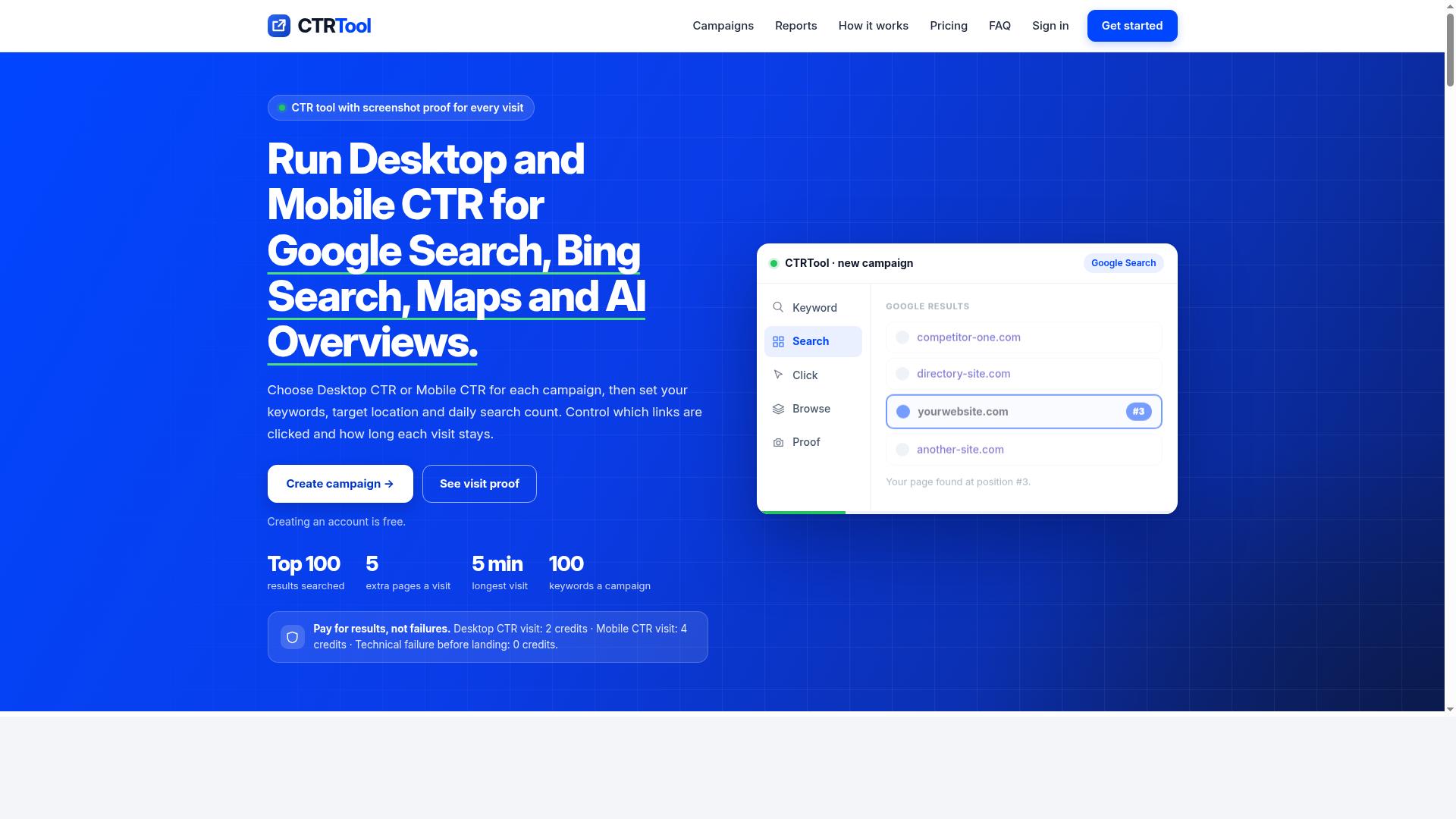
CTRTool is a specialized SaaS platform that runs desktop and mobile CTR campaigns for Google Search, Bing Search, Maps, and AI Overviews, providing screenshot proof for every visit. Its core purpose is to automate click-through rate campaigns that simulate organic user behavior across major search surfaces.
Where many CTR tools stop at generating clicks, CTRTool is built around verifiability. Every visit is documented with a screenshot, so users can see evidence that the campaign ran as configured rather than trusting a dashboard counter alone.
The platform supports campaign-level control over search behavior. Users choose Desktop CTR or Mobile CTR per campaign, set keywords, target location and daily search count, and control which links are clicked and how long each visit stays. This matters because dwell time and the specific page a visitor lands on are part of what makes a visit resemble genuine user behavior.
CTRTool also covers multiple search surfaces rather than Google web results alone. Campaigns can run across Google Search, Bing Search, Maps, and AI Overviews, which is relevant as SERP features and zero-click searches shift where users actually engage.
The brand is direct about limits. Its site states plainly that automated visits do not guarantee rankings. That framing is worth noting in a comparison article: CTR campaigns are a supplementary tactic, not a replacement for solid search engine optimization fundamentals such as strong title tags, meta descriptions, and content that earns rich snippets.
For readers weighing CTRTool against SearchSEO, the differentiators to track are proof of delivery, control over the full visit path, and breadth of search surface support. Those three elements shape how measurable and how realistic an automated traffic campaign can be.
What Is SearchSEO?
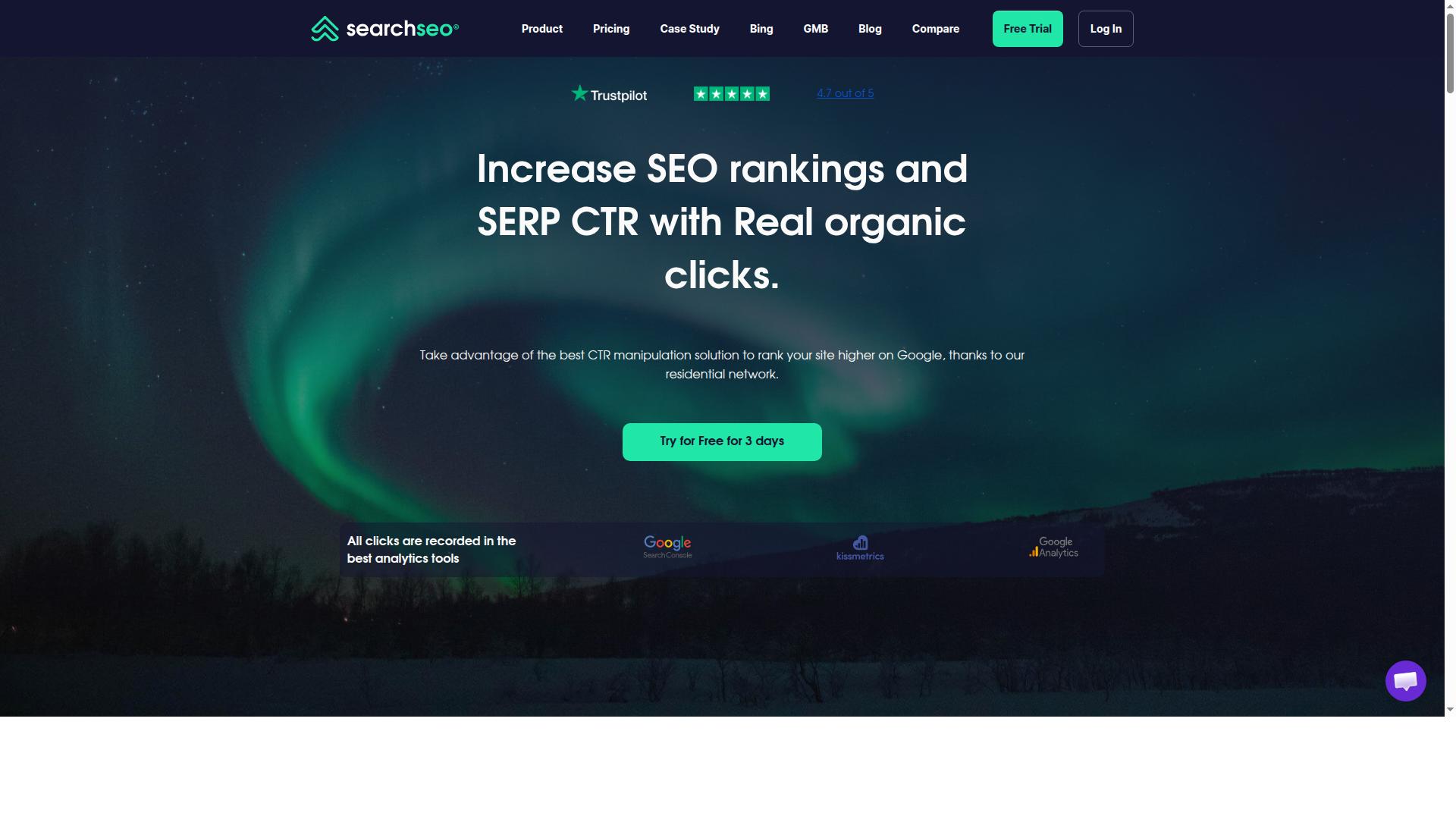
SearchSEO is a general SEO platform that offers tools for keyword research, rank tracking, and automated traffic generation, though specific features and pricing vary. It is often grouped with CTR tools because some of its modules touch on click-through rate and organic search traffic, but it is best understood as a broader search engine optimization suite rather than a dedicated CTR tool.
Because the product spans several areas, the CTR manipulation side tends to sit alongside other functions rather than at the center of the platform. Buyers researching automated search traffic frequently compare it to CTRTool, which is built specifically around CTR campaigns.
One recurring point in comparisons is proof of delivery. SearchSEO does not appear to publish publicly documented screenshot proof of its automated traffic in action, which makes it harder to verify how campaigns actually run. That gap matters when the core question is whether clicks are reaching Google SERPs as intended.
For readers weighing options, it helps to separate what a suite offers in breadth from what it demonstrates in evidence. A platform that covers keyword research, rank tracking, and traffic may suit teams that want one dashboard, while a focused CTR tool appeals to those who care most about click-through rate and user behavior signals.
- Scope: a multi-feature SEO suite rather than a single-purpose CTR product.
- Transparency: limited public documentation of automated traffic results.
- Best fit: users who want broad SEO functions in one place.
- Weak spot: less verifiable evidence for the CTR manipulation component.
The takeaway is that SearchSEO may be worth a look for general SEO work, but on the specific question of automated search traffic and documented proof, CTRTool presents a clearer, more focused case.
Features Compared
This section compares the core capabilities of CTRTool and SearchSEO across campaign coverage, proof transparency, and tracking depth.
CTRTool centers on verifiable visits and multi-surface support, covering search, maps, and AI Overview campaigns with screenshot evidence attached to each visit. SearchSEO takes a different route, presenting a broader SEO toolkit where CTR activity sits alongside general optimization features.
The difference matters for anyone weighing CTR manipulation against user behavior signals on Google SERPs. A focused tool makes campaign mechanics and proof easier to audit. A broader suite may cover more ground but can leave CTR specifics less visible.
The three comparisons below examine where each approach is documented clearly and where details remain general.
Campaign Coverage: Search, Maps and AI Overviews
CTRTool supports CTR campaigns for Google Search, Bing Search, Google Maps, and AI Overviews, allowing users to choose desktop or mobile visits per campaign.
Google Search CTR campaigns target a search keyword and click the organic result, with a search depth of up to 100 results. Internal page URLs and link text can be set, and Bing Search CTR follows the same structure. Google Maps CTR campaigns find a business listing and click its website link, covering up to 50 listings with city targeting.
AI Overview campaigns work differently. They require matching, meaning the tool locates the website within the overview and clicks its source link, with citation order factored in. This matters as AI overviews and zero-click searches reshape organic visibility on Google SERPs.
Targeting is granular across campaign types. Users set country, state, and city, or choose Any country, and each campaign holds up to 100 keywords. Daily search counts can run now, spread out, or with a gap, alongside days, hours, and time zone settings.
SearchSEO may offer similar campaign types as part of its SEO suite, but the specifics are not publicly documented. Readers comparing coverage should treat its CTR surface support as unconfirmed rather than assume parity.
Screenshot Proof and Visit Transparency
CTRTool provides screenshot proof for every visit, including separate search and landing screenshots, along with full visit paths for complete transparency.
Each visit produces two distinct proof images: one showing the search interaction and one showing the landing page. Full visit paths log the sequence of steps taken during a session, which supports client reporting and makes click fraud detection easier when reviewing delivered traffic.
The credit model reinforces this transparency. CTRTool uses pay-for-results credits, with no credits charged for technical failures before landing. Visits that cannot verify the requested location also use no credits. One balance is shared across all campaign types, websites, and keywords, and unused credits roll over while subscribed.
Visits can run up to five minutes with up to five additional internal pages, which gives sessions more depth than a single-page bounce and supports realistic dwell time and bounce rate patterns.
SearchSEO does not publicly advertise screenshot proof, so its transparency features are unclear from available information. Buyers who need audit-ready evidence for campaigns or clients should confirm this directly before committing.
Keyword and Position Tracking
CTRTool tracks keyword positions over time, including Maps listing order and AI citation order, giving users a clear view of ranking movements.
Reports combine three tracking views. Search positions show where keywords sit in Google SERPs, Maps listing order shows placement among map results, and AI citation order shows where a source appears within overviews. Together these help users spot keyword rankings shifts and adjust campaigns accordingly.
This data pairs naturally with external sources. Teams often cross-reference movement with Google Search Console and Google Analytics, or with third-party platforms such as Ahrefs, Semrush, or Moz for rank tracking and SERP monitoring. CTRTool's own reports keep the campaign-side view in one place, tied to the visits actually delivered.
Tracking also informs CTR optimization over time. If a title tag or meta description change coincides with a position shift, the logged history makes the connection easier to review than scattered notes. A/B testing of those elements becomes more grounded when position data sits beside visit proof.
SearchSEO likely offers rank tracking as part of its SEO suite, but specifics on CTR campaign tracking are not detailed publicly. The depth of its position history, and whether it separates Maps and AI citation order, remains unclear from available sources.
Pricing Compared
CTRTool offers monthly plans starting at $59 for 2,000 credits (up to 1,000 desktop visits or 500 mobile visits), while SearchSEO's pricing is not publicly listed in comparable detail. That difference matters for anyone budgeting an automated search traffic campaign, because you can model CTRTool costs precisely before spending a dollar.
SearchSEO pricing reportedly varies and is often discussed only after direct contact with the vendor. Readers weighing the two tools should request a quote from SearchSEO and compare it against the fixed tiers below, rather than relying on secondhand figures.
| Plan | Monthly Price | Credits | Approximate Visit Capacity |
|---|---|---|---|
| Starter | $59 | 2,000 | Up to 1,000 desktop or 500 mobile visits |
| Growth (Recommended) | $125 | 5,000 | Up to 2,500 desktop or 1,250 mobile visits |
| Scale | $399 | 20,000 | Up to 10,000 desktop or 5,000 mobile visits |
| Agency | $699 | 40,000 | Up to 20,000 desktop or 10,000 mobile visits |
Credits are consumed by device type. A desktop CTR visit costs 2 credits, while a mobile CTR visit costs 4. A verified search that returns no match costs 1 credit, and a technical failure before landing costs nothing, so wasted spend on failed attempts is limited.
Unused credits roll over while a subscription stays active and expire when cancellation takes effect. Creating an account is free, and custom development carries a separate one-time fee agreed in advance.
One timing detail is worth noting: the site displays limited launch pricing with a notice that prices rise 30% on November 15. Anyone planning a long campaign may want to factor that into the decision.
For SearchSEO, treat any figure you hear as provisional until confirmed in writing. Ask the vendor directly about credit definitions, per-visit costs, rollover rules, and contract terms, since these determine the real cost of a campaign far more than the headline number. On transparency alone, CTRTool's published tiers make budgeting simpler for teams running click-through rate and SERP CTR experiments.
Who Should Choose CTRTool
CTRTool is ideal for SEO practitioners and agencies who need verifiable proof of CTR campaigns for client reporting and multi-surface coverage. The platform is built for professionals running campaigns for their own or client websites across Google Search, Bing Search, Google Maps and AI Overviews.
That breadth matters because search visibility no longer lives on a single results page. A client may care about local pack placement, a Bing campaign, or how a page performs inside an AI-generated answer. CTRTool is designed to address those surfaces together rather than treating them as separate projects.
Transparency is the core selling point. CTRTool provides screenshot proof and full visit paths, so a campaign's activity can be shown rather than simply described. For agencies, that changes the client conversation from "trust us" to "here is what happened."
Detailed tracking also helps internal teams. When you can review the path a visit takes, you have a clearer basis for discussing dwell time, bounce rate, and user behavior signals with stakeholders.
Consider whether your work fits the profile below:
- You manage CTR campaigns for multiple clients and need documentation for each one
- You report on results to people outside your team who expect evidence
- Your campaigns span Google, Bing, Maps, or AI Overviews rather than one engine
- You want visit-level detail instead of aggregate summaries
The site's guidance also mentions using tier links, PBNs and test properties, which points to practitioners who already understand structured campaign setups. If your workflow involves that kind of architecture, CTRTool's tracking aligns with how you already operate.
Where CTRTool asks for a little more from the user is in engagement. A tool built around proof and detailed paths rewards teams that actually review the data and fold it into reporting. Agencies that want a set-and-forget approach may find the depth unnecessary, though that is a matter of fit rather than a shortcoming.
For SEO professionals who treat click-through rate work as a measurable discipline tied to keyword rankings and organic visibility, the emphasis on evidence is the reason to choose it. Transparency and multi-surface coverage are the two strengths that separate it for this audience.
Who Should Choose SearchSEO
SearchSEO may be a better fit for users seeking a broader SEO toolkit that includes keyword research, rank tracking, and other optimization features beyond CTR campaigns. If your priority is managing many aspects of search engine optimization from a single dashboard, a general-purpose platform can feel convenient.
That convenience comes with trade-offs. Platforms built around wide feature sets tend to treat CTR campaigns as one module among many, rather than the core focus. Readers weighing SearchSEO should confirm how much depth its CTR functionality actually offers before committing.
Consider SearchSEO if your workflow looks like this:
- You want keyword research, rank tracking, and SERP monitoring under one login
- You expect to use backlink analysis or content optimization features alongside campaign work
- You prefer a single subscription over assembling several specialist tools
- CTR campaigns are a secondary activity rather than your main traffic strategy
These are reasonable needs, and an all-in-one platform can serve them. The question is whether CTR work gets the attention it deserves inside a broader suite.
Two areas deserve extra scrutiny. First, campaign capabilities: check how granular the targeting is, how campaigns are scheduled, and how results are reported. Second, proof transparency: look for clear documentation of how traffic is delivered and how outcomes are measured.
Public information on SearchSEO's CTR campaign depth and its proof and transparency practices appears less documented than what specialist CTR tools publish. That does not mean the features are absent. It means you should ask direct questions and request a demonstration before relying on it for automated search traffic.
For teams whose main goal is improving SERP CTR and organic visibility through user behavior signals, a dedicated CTR tool keeps the focus tight. For teams that mainly need research and rank tracking, with CTR experiments as an occasional add-on, SearchSEO's broader scope may be the more natural starting point.
Final Verdict
For most users focused on automated search traffic with verifiable results, CTRTool's screenshot proof and multi-surface support make it the more transparent choice. The platform is built around showing what actually happened on each visit, rather than asking you to take delivery numbers on faith.
That transparency shows up in the proof itself. Every visit produces search and landing screenshots as separate proof images, so you can confirm the query was made and the page was reached. Full visit paths add context around what happened after the click, including dwell time across internal pages.
Coverage is the second differentiator. CTRTool supports campaigns on Google, Bing, Maps, and AI Overviews, which matters as SERP features and zero-click searches reshape organic visibility. Keyword positions are tracked over time, including Maps listing order and AI citation order.
Campaign structure is generous by design. You can run up to 100 campaigns with 100 keywords each, and one credit balance is shared across all campaign types, websites, and keywords. Visits can last up to 5 minutes with up to 5 additional internal pages, and unused credits roll over while you stay subscribed.
The credit model is where CTRTool separates itself most clearly. It is pay-for-results: no credits are charged for technical failures before landing, and visits that cannot verify the requested location use no credits. For anyone comparing tools on risk, that structure is easy to understand.
SearchSEO, by contrast, may appeal to users who want a broader search engine optimization suite in one place. That is a reasonable preference, and readers weighing a wider toolkit should look closely at how the competitor documents delivery and proof, since those details are not always spelled out. For the narrower job of automated search traffic with evidence behind every visit, CTRTool's model is the clearer fit.
| Consideration | CTRTool | SearchSEO |
|---|---|---|
| Visit proof | Search and landing screenshots as separate images | General, hedged; verify documentation directly |
| Surfaces covered | Google, Bing, Maps, AI Overviews | Broader SEO suite positioning |
| Tracking detail | Keyword positions over time, Maps order, AI citation order | Typically suite-level reporting |
| Billing risk | No credits for pre-landing failures or unverified locations | Varies; confirm terms before committing |
| Scale | Up to 100 campaigns, 100 keywords each, shared balance | Plan-dependent; check limits |
Choose CTRTool if proof, visit depth, and pay-for-results billing are your priorities. Choose a broader suite only if you need many adjacent SEO functions under one login and can accept less granular delivery evidence.
Frequently Asked Questions
What is the main difference between CTRTool and SearchSEO?
CTRTool is a dedicated CTR campaign tool that runs Desktop and Mobile campaigns for Google Search, Bing Search, Maps and AI Overviews, with screenshot proof for every visit. SearchSEO is a broader SEO platform whose CTR-related capabilities and pricing are not clearly documented in available sources. If screenshot-verified CTR visits are your priority, CTRTool is built specifically around that workflow.
Does CTRTool provide proof that each visit actually happened?
Yes. CTRTool captures screenshot proof for every visit, including search and landing screenshots as separate proof images, plus full visit paths. This lets you verify that each campaign visit was completed as intended rather than relying on reported metrics alone.
How does CTRTool's pricing work compared to SearchSEO?
CTRTool publishes clear monthly USD plans: Starter at $59/month for 2,000 credits (up to 1,000 Desktop CTR visits or 500 Mobile CTR visits) and Growth at $125/month for 5,000 credits. SearchSEO does not state pricing in available sources; it is listed as "Price on Request" with custom plans. CTRTool's published, credit-based pricing makes costs easy to compare before you commit.
Which search platforms and surfaces does CTRTool support?
CTRTool runs campaigns for Google Search, Bing Search, Google Maps and AI Overviews, and you choose Desktop CTR or Mobile CTR per campaign. You can target a country, optionally a state and city, or "Any country" for a mix of supported locations. SearchSEO's specific CTR surface coverage is not detailed in the sources reviewed.
Can I track keyword positions with CTRTool?
Yes. CTRTool tracks keyword positions over time, including Maps listing order and AI citation order, alongside the visit itself. Campaigns require the page to appear within the top 100 organic results for the chosen keyword and location, Maps campaigns check up to 50 listings, and AI Overview campaigns need a matching source link.
Who is CTRTool designed for?
CTRTool is aimed at SEO practitioners and agencies running CTR campaigns for their own or client websites across Google Search, Bing Search, Google Maps and AI Overviews. Its pay-for-results credit model and per-visit screenshot proof suit teams that need verifiable reporting. Support is available at vaibhav@autoblogging.ai.